
Before following the steps mentioned below, it is important for you to know that the latest version of WhatsApp should be installed in your smartphone. Second, you must have the right of the group admin to create an invite link.
Follow these steps
1) First, open the WhatsApp app.
2) Then go to the WhatsApp group in which you want to add a new member.
3) After going into the group you have to click on the three-dot menu on the top right side.
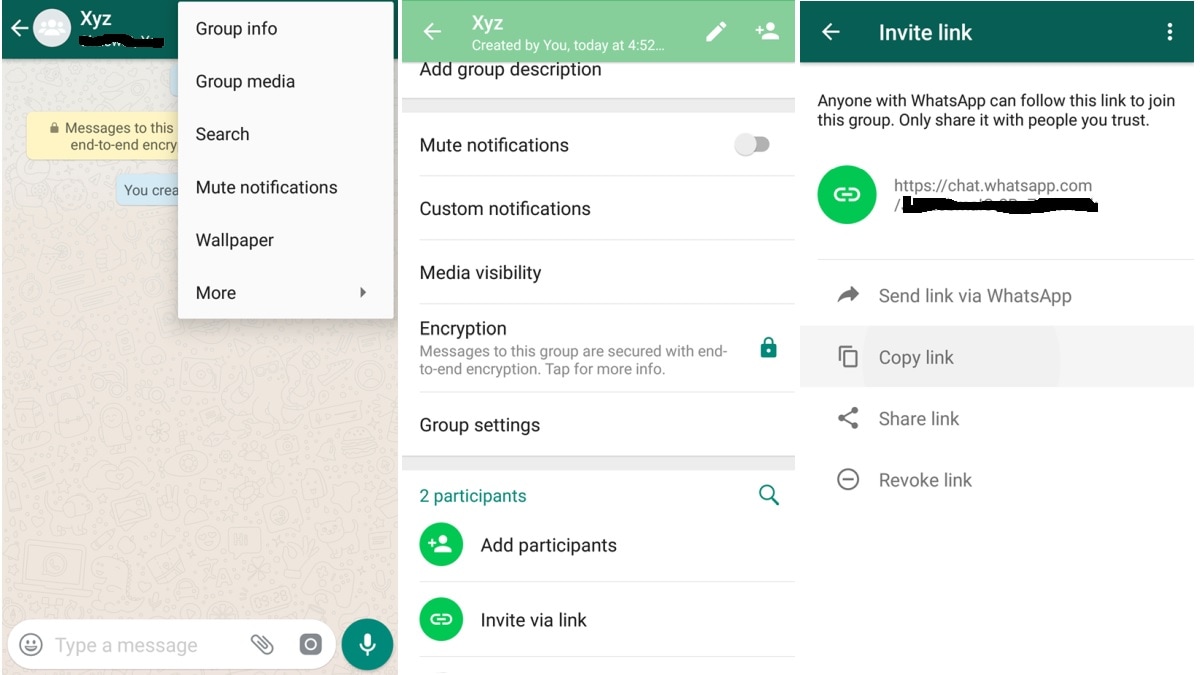
4) Here you will get the option of group info, click on it.
5) After clicking on group info, you have to click on Invite via Link option.
6) As soon as you click on Invite via Link, you will get four options – Send Link via WhatsApp, Copy Link, Share Link and Revoc Link.
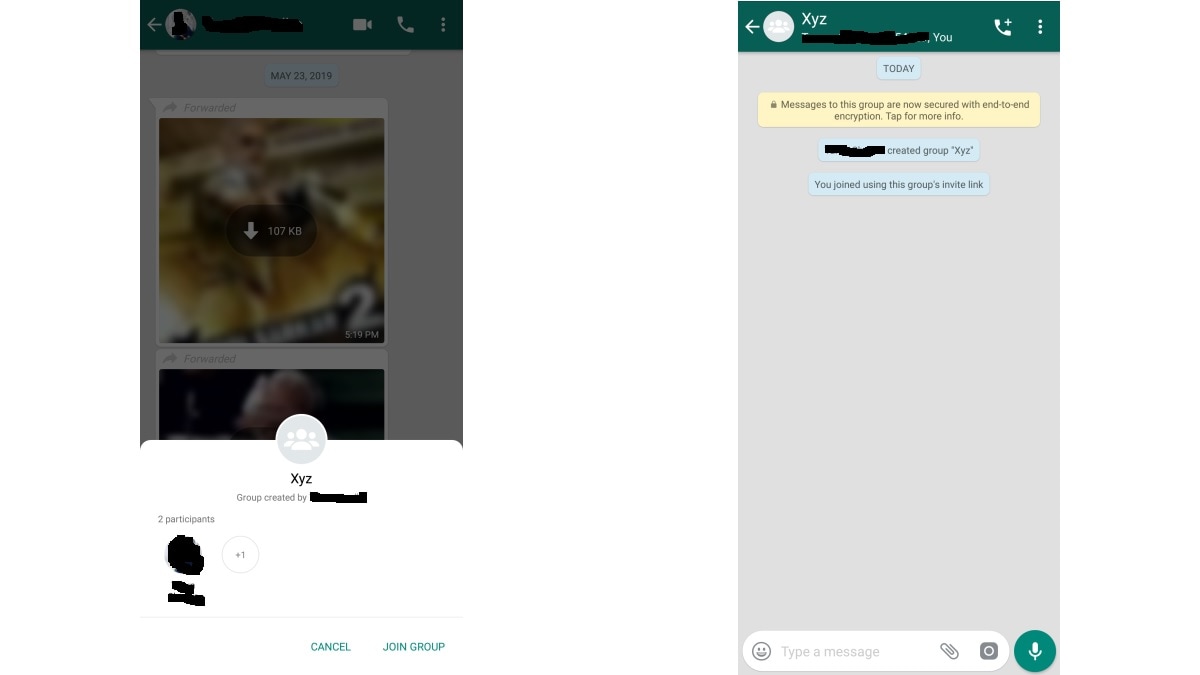
7) Share the link with the person you want to add to the group. After clicking on the link, you will see the option to join and cancel groups.