Buy Redmi note 9 Pro Now
[content-egg module=AE__flipkartcom template=list]
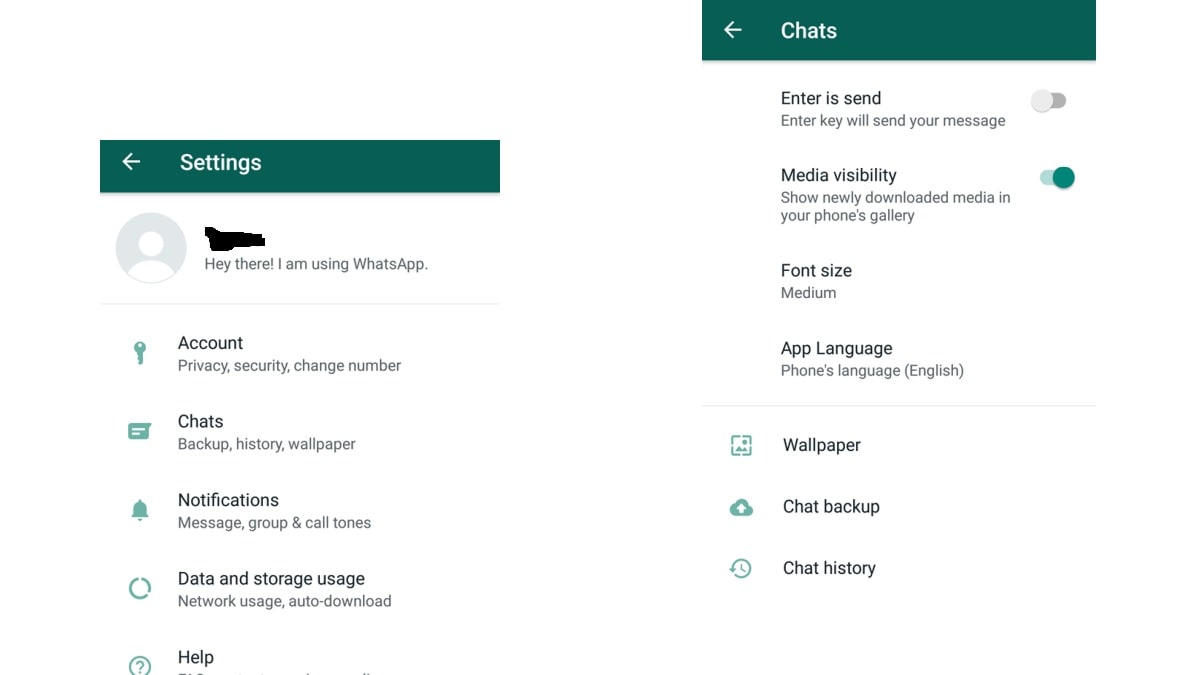
For android users
1) First, open the WhatsApp app.
2) Then click on the three-dot appearing on the right.
3) Here you will get the option of settings.
4) After clicking on Settings click on Chats.
5) Turn off Media Visibility.
Follow these steps if you want to do the setting for a select chat
1) First of all open WhatsApp.
2) After this, click on any chart for which you want to make these settings.
3) Now go to the three-dot menu appearing on the right.
4) Here you will get the option of view contact, click on it.
5) After this, you will see the option of Media Visibility, click on it.
6) After clicking, you will get three options – Default (Yes), Yes, and No.
After changing the settings mentioned above, WhatsApp will not automatically download media files.
For iPhone users
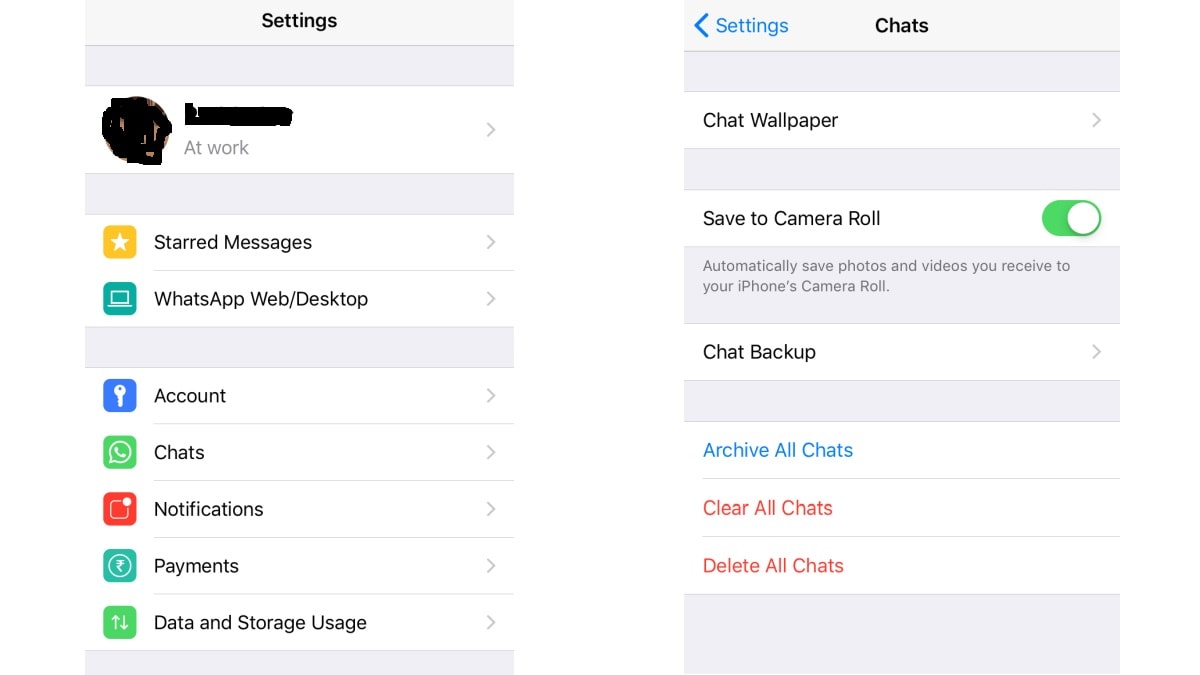
1) First of all open WhatsApp.
2) Click on the Settings option shown at the bottom right.
3) After this go to chats.
4) After clicking on chats you will get the option to save to camera roll, turn it off.